
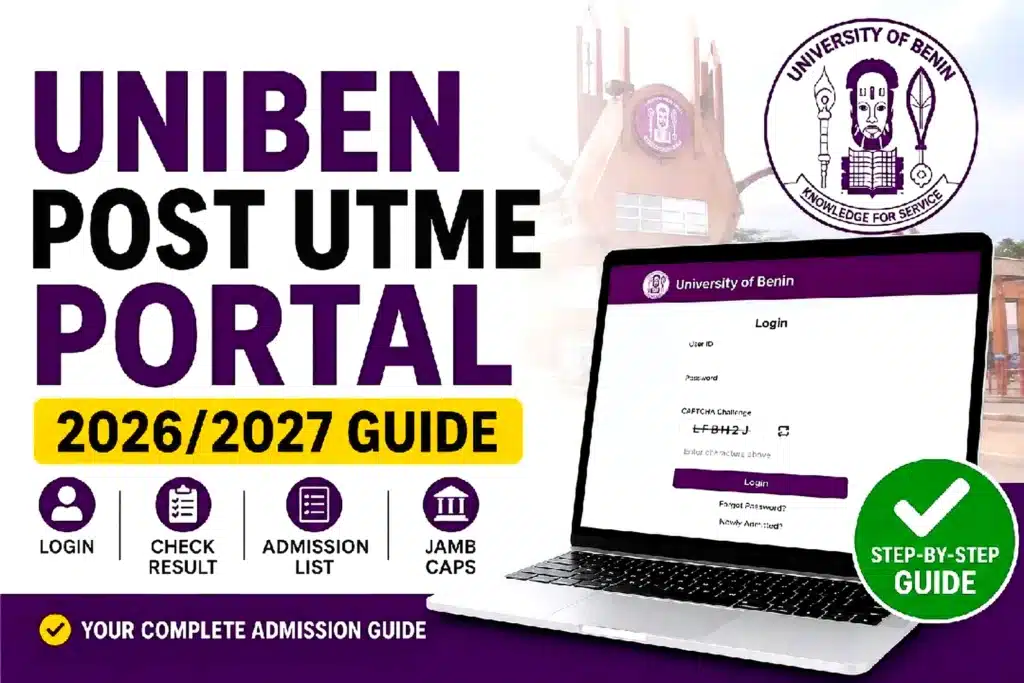
UNIBEN Post UTME portal 2026/2027 guide. Learn how to log in, check your screening result, view the admission list, use JAMB CAPS, and prepare for clearance.
Last Updated: August 22, 2026
Reviewed by: CutOffMark.ng Editorial Team
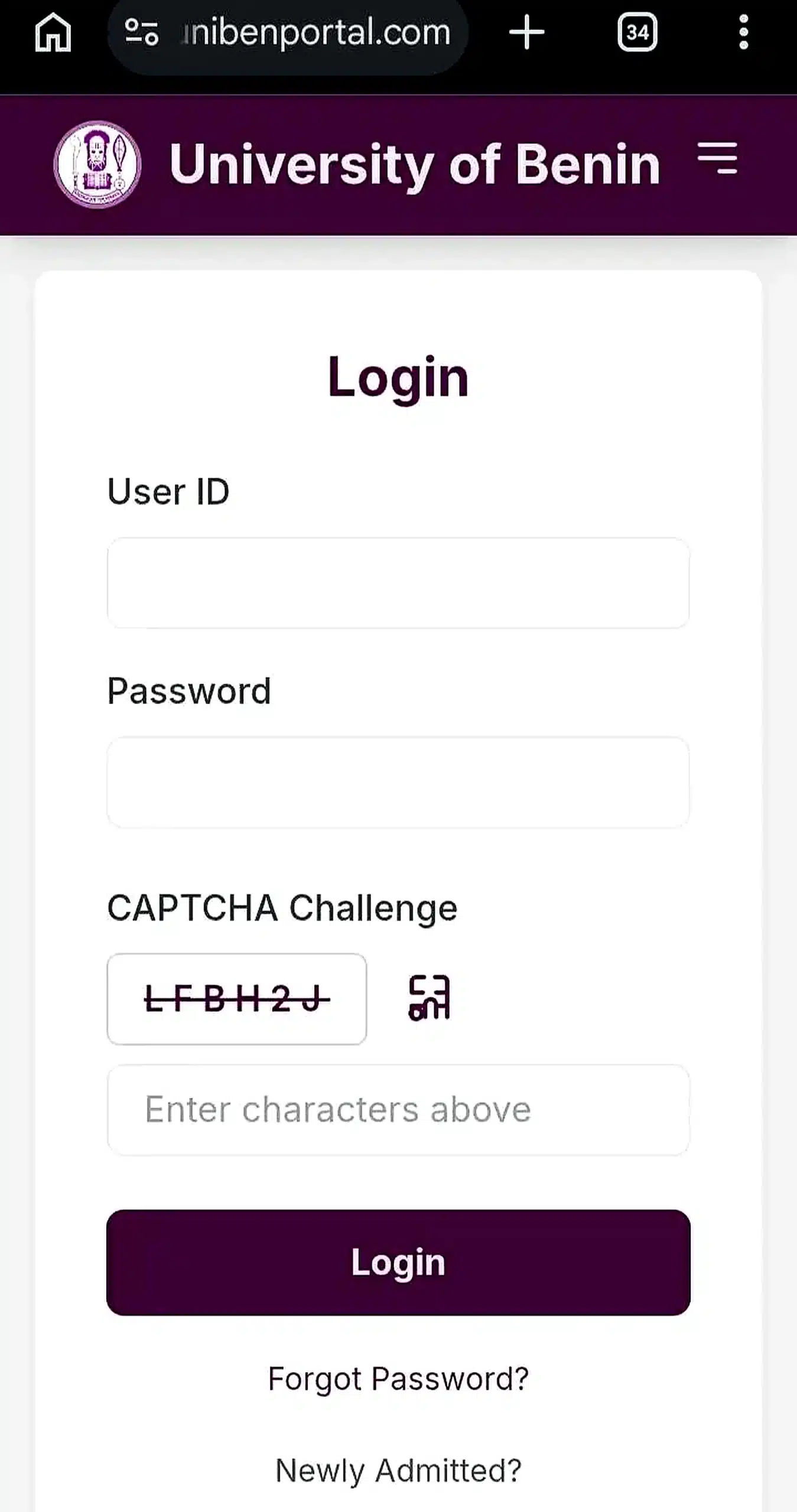
The UNIBEN Post UTME Portal is available through the university’s dedicated admission platform at unibenportal.com, while official announcements, notices, and updates are also published on the University of Benin’s main website, uniben.edu. Candidates should use unibenportal.com for registration, login, payment, and result checking, while uniben.edu remains the official source for university announcements.
📌 Quick Summary
Use the UNIBEN Portal unibenportal.com for registration, payments, screening, and result checking. Use JAMB CAPS to confirm and accept your admission offer.
Highlights
- UNIBEN Post UTME registration for 2026/2027 has closed (5 June – 3 July 2026).
- Screening was conducted from 27 July to 1 August 2026.
- Candidates who completed the screening should log into the UNIBEN Portal check their screening results.
- Admission will be released in batches through both the UNIBEN Portal and JAMB CAPS.
- Candidates who missed registration must wait for the next admission cycle.
⚠️ Important
Registration for the 2026/2027 UNIBEN Post UTME has closed. This guide is mainly for candidates checking their screening results, monitoring admission, or preparing ahead for the next admission exercise.
Table of Contents
What is the UNIBEN Post UTME Portal?
The UNIBEN Post UTME Portal, officially available at unibenportal.com, is the University of Benin’s online platform for Post-UTME and Direct Entry screening. Candidates who selected UNIBEN as their first-choice institution use this portal to register for screening, pay the required fee, print their screening slip, and later check their screening result.
Your JAMB score alone does not determine admission. The university also considers your performance in its screening process before making admission decisions.
💡 Did You Know?
Everything related to your UNIBEN screening—from registration to result checking—starts on the UNIBEN Portal. JAMB CAPS only handles your final admission status.
UNIBEN Post UTME Form 2026/2027: Key Dates
| Activity | Date |
|---|---|
| Registration Opens | Friday, 5 June 2026 |
| Registration Closes | Friday, 3 July 2026 (Midnight) |
| Screening Slip Printing | From Friday, 17 July 2026 |
| Screening Exercise | 27 July – 1 August 2026 |
| Screening Fee | ₦2,000 (excluding portal charges) |
Registration for the 2026/2027 admission cycle has closed. Candidates who completed payment after the official deadline were not included in the screening exercise.
📅 Remember
UNIBEN is usually strict with its registration deadline. Waiting until the final day can lead to payment or portal issues that may prevent successful registration.
To understand the score you need for your preferred course, read our UNIBEN Cut Off Mark for All Courses guide.
UNIBEN Admission Process Timeline
Registration
Screening Slip
CBT Screening
Result
Admission
Clearance
Each stage must be completed successfully before moving to the next.
Eligibility for UNIBEN Post UTME Registration
To participate in the UNIBEN Post UTME screening exercise, candidates were required to meet the university’s minimum admission requirements.
- Choose UNIBEN as First Choice during JAMB registration.
- Score at least 200 in the UTME.
- Have a minimum of five (5) O’Level credit passes, including English Language and Mathematics, in not more than two sittings.
- Direct Entry applicants needed at least an Upper Credit in ND, NCE, HND or an equivalent qualification.
✅ Eligibility Tip
Choosing UNIBEN as your first-choice institution is compulsory. If you selected another university, you must first complete a JAMB Change of Institution before you can apply when the next Post UTME registration opens.
If UNIBEN was not your first-choice institution, this year’s application wasn’t available to you. You can prepare ahead by reading our JAMB Change of Institution Guide.
How to Login to the UNIBEN Post UTME Portal
After registration, you can log into your dashboard at any time to monitor your application or check your screening result once it becomes available.
- Visit unibenportal.com.
- Click Application/Login.
- Enter your JAMB Registration Number as your User ID.
- Enter the password you created during registration.
- Click Login to access your dashboard.
💡 Quick Tip
Your JAMB Registration Number remains your login ID throughout the admission process. Keep it safe because you’ll use it repeatedly.
Once logged in, you can view your application details, print documents, monitor admission updates, and check your screening result when released.
What to Do If You Forgot Your UNIBEN Portal Login Password
Forgetting your password doesn’t mean you have to create another application.
- Click the “Forgot Password” or “Reset Password” option on the login page.
- Follow the password recovery instructions sent to your registered email address.
- If the reset option isn’t available or doesn’t work, contact the University’s admissions office using the official contact information published on uniben.edu.
- Always provide your full name and JAMB Registration Number when requesting assistance.
⚠️ Avoid Scams
Never pay anyone to “recover” your portal password. Password recovery should only be done through the official UNIBEN portal or the University’s admissions office.
UNIBEN Portal Login Not Opening? Common Fixes
If the portal refuses to load or keeps displaying errors, don’t panic. Most problems are temporary and can usually be resolved using the tips below.
- Visit during off-peak hours. The portal is busiest close to registration deadlines.
- Use another browser. Chrome, Microsoft Edge, or Firefox often perform better.
- Clear your browser cache and cookies.
- Switch devices. If you’re using a phone, try a laptop or desktop computer.
- Check your internet connection. Poor connectivity can interrupt payments or prevent pages from loading completely.
- Avoid refreshing the payment page. Interrupting a Remita transaction may result in payment verification delays.
- Best times to access Uniben Post utme portal with a phone of pc is usually around the midnight, say 12 am to 4am, by then traffic might have reduced. It’s also works well during the day.
🚫 Don’t Panic
Portal slowdowns are common whenever thousands of candidates are trying to register at the same time. Give it a little time and try again instead of submitting multiple payments.
If the problem continues for an extended period, contact the university through its official support channels instead of relying on unofficial “portal agents.”
How to Check UNIBEN Post UTME Result
The University officially releases the screening results, candidates can check them online through the UNIBEN Post UTME portal.
- Visit unibenportal.com (or the official WAEUP-KOFA portal).
- Log in using your JAMB Registration Number and password.
- Your UNIBEN Post UTME screening result will appear on your dashboard.
✅ Good News
Checking your UNIBEN screening result is completely free. You don’t need to pay any website, cyber café, or agent to unlock or view your score.
If your result is not yet available, simply check again later. The university may upload results in stages depending on processing timelines.
Passport Photograph Requirements
[IMAGE 3 – Illustration]
Alt text: UNIBEN Post UTME red background passport photograph requirement.
UNIBEN’s Post UTME application guidelines require candidates to upload a 1×1 colour passport photograph with a red background. The passport should be saved in JPEG format and must clearly show your face without sunglasses, caps, or anything covering your facial features.
The same passport photograph you upload during registration is used throughout your admission process, including verification and other identification stages. For that reason, candidates should follow the official specification carefully.
📷 Passport Reminder
Use a red background passport photograph exactly as stated in the official guidelines. Uploading a different background or an unclear image may affect verification later in the admission process.
How to Calculate Your Uniben admission chances
Your aggregate score plays an important role in determining your admission chances. It is calculated using your JAMB score and your Post UTME screening score.
🧮 Calculate Your Score Instantly
Instead of calculating your aggregate manually, use our UNIBEN Aggregate Score Calculator. Simply enter your JAMB score and your Post UTME score to see your aggregate instantly.
Different websites may publish different aggregate formulas, and the University of Benin does not always publish the same admission calculation method every year. For that reason, treat unofficial formulas as guides rather than guaranteed admission criteria.
Once you’ve calculated your aggregate score, compare it with the expected scores for your preferred course in our UNIBEN Cut Off Mark for All Courses guide.
🎯 Best Strategy
Don’t focus only on calculating your aggregate. The safest approach is to score as high as possible in both your JAMB examination and the Post UTME screening.
Competitive courses such as Medicine, Law, Pharmacy, and most Engineering programmes usually require much higher aggregate scores than the university’s general minimum requirement.
See our complete guide on UNIBEN Cut Off Mark for All Courses to learn the expected scores for each department.
Difference Between UNIBEN Post Utme Portal and JAMB CAPS
Many candidates confuse the UNIBEN Portal with JAMB CAPS. Although they work together during admission, they serve completely different purposes.
- UNIBEN Portal (WAEUP-KOFA) — Used for Post UTME registration, fee payment, printing screening slips, checking screening results, and accessing university admission services.
- JAMB CAPS (Central Admission Processing System) — Managed by JAMB. This is where candidates confirm, accept, or reject admission offers from universities.
💡 Easy Way to Remember
UNIBEN Post utme Portal = Registration & Screening.
JAMB CAPS = Final Admission.
A “Not Admitted” message is a status displayed on JAMB CAPS—not your UNIBEN screening result.
Every candidate’s CAPS profile normally starts with the status “Not Admitted” until the university uploads admission lists to JAMB. Seeing this message does not automatically mean you have been rejected.
✅ Don’t Panic
If your JAMB CAPS still shows “Not Admitted”, continue checking both the UNIBEN Portal and JAMB CAPS. Admission is usually released in batches.
Once your admission status changes to “Admitted”, don’t forget to formally accept the admission on JAMB CAPS before proceeding with clearance.
You can also read our detailed guide on How to Accept Admission on JAMB CAPS.
| Task | UNIBEN Portal | JAMB CAPS |
|---|---|---|
| Register for Post UTME | ✅ | ❌ |
| Pay Screening Fee | ✅ | ❌ |
| Check Screening Result | ✅ | ❌ |
| View Admission Status | ✅ | ✅ |
| Accept Admission Offer | ❌ | ✅ |
| Print JAMB Admission Letter | ❌ | ✅ |
UNIBEN Admission List: What Happens Next?
After the Post UTME screening exercise, the University of Benin begins processing admissions. Candidates should understand that the admission list is not released all at once. Instead, successful applicants are usually published in batches.
- Admission lists are released in 1st, 2nd, 3rd and sometimes additional batches.
- There is no fixed public release date every admission year.
- Always check both the UNIBEN Portal and JAMB CAPS because one platform may update before the other.
- Once JAMB CAPS displays “Admitted”, accept the admission before proceeding with school clearance.
🎉 Admission Tip
Don’t rely on only one website. Keep checking both the UNIBEN Portal and JAMB CAPS until your admission status is finalized.
Documents Needed for Physical Clearance After Admission
Successful candidates invited for physical clearance should prepare their original documents before the clearance exercise begins.
- Original JAMB Result Slip
- Original JAMB UTME/Direct Entry Registration Slip
- UNIBEN Provisional Admission Letter
- Original WAEC, NECO or NABTEB Result(s)
- Birth Certificate or Age Declaration
- Certificate of Local Government/State of Origin
- Recent passport photographs matching the official registration specification
- Evidence of payment for acceptance and other approved clearance fees
📂 Prepare Early
Arrange all your original documents in one file immediately after receiving admission. Waiting until clearance day often leads to unnecessary stress.
Clearance requirements may change from one admission session to another. Always confirm the latest checklist from your UNIBEN dashboard before attending clearance.
After admission, you can also read our guide on UNIBEN School Fees for Freshers 2026/2027 to understand the payments expected from newly admitted students.
Common Mistakes Candidates Make
Every admission year, many candidates lose valuable time—or even miss opportunities completely—because of avoidable mistakes.
- Waiting until the last day to register. Heavy traffic can slow down the portal or delay payment confirmation.
- Uploading the wrong passport photograph. Follow the official requirement carefully and use the specified red background.
- Using different names. Your names should match across JAMB, O’Level results and every admission document.
- Leaving Awaiting Result unresolved. Upload your O’Level result to JAMB once it becomes available.
- Attending screening or clearance without original documents.
- Ignoring Post UTME preparation. Practising with genuine past questions improves both speed and confidence during the CBT.
🚫 Avoid This Mistake
Many candidates lose admission opportunities because they assume one missing document or a small name mismatch “won’t matter.” Always verify your documents before the screening and clearance stages.
Related UNIBEN Guides
- UNIBEN Cut Off Mark for All Courses
- UNIBEN School Fees for Freshers 2026/2027
- UNIBEN Post UTME Past Questions and Answers
- How to Accept Admission on JAMB CAPS
- JAMB Change of Institution Guide
Frequently Asked Questions (FAQs)
Is UNIBEN Post UTME screening online or physical?
The screening is physical. Candidates sit for a Computer-Based Test (CBT) at designated centres within the University of Benin.
What is the UNIBEN Post UTME cut-off mark?
The general minimum UTME score is 200. However, competitive courses usually require significantly higher aggregate scores.
How do I check my UNIBEN Post UTME result?
Visit unibenportal.com, log in using your JAMB Registration Number and password, then check your screening dashboard once results have been released.
When will the UNIBEN admission list be released?
There is no officially fixed release date. Admission is released in batches through both the UNIBEN Portal and JAMB CAPS.
I didn’t choose UNIBEN as my first choice. Can I still apply?
No. Candidates must first complete a JAMB Change of Institution before becoming eligible for the next Post UTME registration.
My JAMB CAPS says “Not Admitted.” Does that mean I failed?
No. “Not Admitted” is the default JAMB CAPS status until institutions upload successful candidates. Continue checking both JAMB CAPS and the UNIBEN Portal.
💬 Quick Reminder
If your screening is complete, your next responsibility is simple: monitor your UNIBEN post utme Portal and JAMB CAPS regularly.
Bottom Line
If you successfully completed the 2026/2027 UNIBEN Post UTME screening exercise, continue checking your screening result, admission status and other updates through the official UNIBEN Portal and JAMB CAPS.
If you missed this year’s registration, there is no late application window. Your best option is to prepare for the next admission cycle by monitoring future announcements from the University of Benin.
🎓 Final Advice
Admission is a process, not a one-day event. Stay patient, follow only official updates, and complete every required step as soon as it becomes available.
Written by CutOffMark.ng Editorial Team
We simplify Nigerian university admissions by explaining JAMB, Post UTME, school cut-off marks, admission lists and campus procedures in plain English.
Editorial Note
Admission requirements, screening procedures, deadlines and clearance documents may change from one admission session to another. Always verify the latest information through the official UNIBEN Portal and the University’s official website before taking action.
[ez-toc]